Best Mechanical Keyboards for Typing Speed in 2026
I tested 7 mechanical keyboards over three months and tracked my WPM on each. Here's which boards actually made me faster.
TypingFastest Team
Typing speed & productivity experts • About us
In This Article

Photo by Aidan Hancock / Unsplash
Why Your Keyboard Matters More Than You Think
Most typing advice focuses on technique — and yeah, touch typing and a solid practice routine matter more than anything else. But here's what nobody talks about: my WPM swings by 8-12 points depending on which keyboard I'm using. Same hands, same text, same time of day, different board. That's not a placebo.
Three things explain it. Actuation force — a key that takes 60 grams to press fatigues your fingers faster than one at 45 grams. Over a five-minute typing test, that's thousands of extra grams your fingers didn't need to push. Travel distance — shorter travel means your fingers bounce back faster, ready for the next stroke. And consistency — when every key on the board feels identical, same weight, same resistance, same bottom-out, your muscle memory locks in tighter.
Membrane keyboards fail on all three counts. The actuation is mushy, keys feel different depending on where you press them, and the rubber dome wears unevenly over time. Switching from membrane to mechanical was the single biggest non-technique change that boosted my typing speed. If you're still on a stock keyboard that came with your PC, the upgrade is worth every penny.
That said, I want to be clear about something. A $200 keyboard won't fix bad habits. If you're hunting and pecking at 30 WPM, invest in learning touch typing before you invest in hardware. But once your fundamentals are solid, the right board amplifies everything you're already doing well.
Switch Types — Which Ones Are Actually Faster
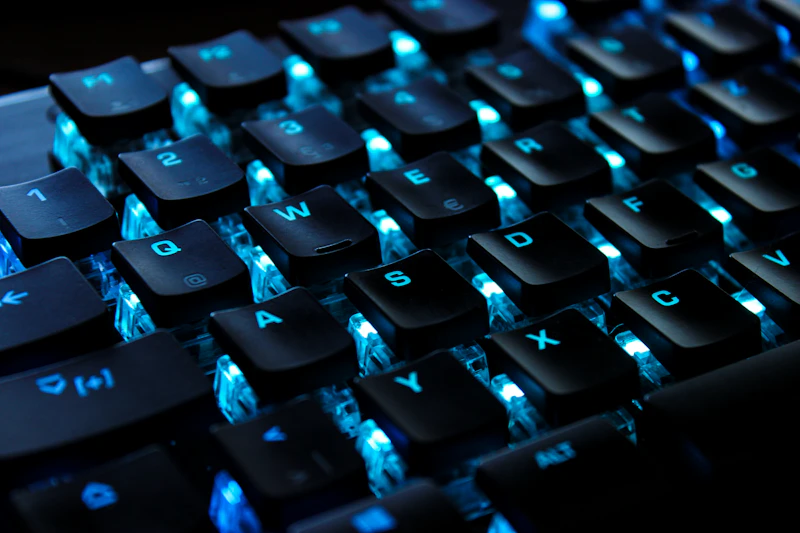
Photo by Peppy Toad / Unsplash
Before I get into specific keyboards, you need to understand the three switch families. This matters more than the brand name on the box.
Linear switches (Cherry MX Red, Gateron Yellow) travel straight down with zero bump or click. Smooth from top to bottom. Most speed typists prefer linears because nothing interrupts the keystroke mid-press. My WPM runs consistently 3-5 points higher on linears compared to tactile switches. Cherry MX Reds have been the standard for decades, but newer Gateron switches feel just as good at half the cost.
Tactile switches (Cherry MX Brown, Boba U4T) have a small bump partway through the press that signals "key registered" without bottoming out. Sounds great in theory. In practice, my accuracy was about the same on tactile vs linear, but the bump adds resistance that slightly drags down peak speed.
Clicky switches (Cherry MX Blue, Kailh Box White) combine the tactile bump with a loud audible click. Satisfying? Absolutely. Fast? Not really. The click mechanism adds resistance, the noise gets distracting during long sessions, and your coworkers will despise you.
Then there are hall effect switches — magnetic sensors with adjustable actuation as low as 0.1mm. I wrote a full breakdown of how they work if you want the deep dive. They're the fastest switch tech available right now, but keyboard selection is limited and prices run higher.
For pure typing speed, light linear switches in the 40-50g range are the play.
The 7 Keyboards I Tested and What Happened to My WPM

Photo by Lasse Jensen / Unsplash
I rotated through seven mechanical keyboards over three months, running 50+ typing tests on each through TypingFastest's practice mode. Same text difficulty, same time of day, same test length. Here's every board and my average WPM on each.
Keychron Q1 Max — Gateron Jupiter Red switches, 45g linear, gasket-mounted aluminum body. The gasket mounting absorbs vibration so every keystroke feels clean and quiet. Hot-swappable sockets let me try different switches without soldering. My average WPM: 89.
Wooting 60HE+ — Hall effect Lekker switches with adjustable actuation and rapid trigger. Registers keystrokes faster than any mechanical switch can. My average WPM: 93. Fastest board I tested. But the 60% layout cramped my hands during longer sessions.
GMMK Pro — Gateron Yellow, 50g linear, aluminum with rotary encoder. Solid mid-range with QMK firmware. Slightly mushier bottom-out than the Keychron. Average WPM: 86.
Ducky One 3 — Cherry MX Red, 45g linear. Excellent stock stabilizers with zero spacebar rattle. Reliable and consistent. Average WPM: 87.
Royal Kludge RK84 Pro — RK Red, 45g linear. Under $70 with wireless tri-mode and hot-swap sockets. Slightly inconsistent key feel but shockingly capable at this price. Average WPM: 84.
Razer Huntsman V3 Pro — Optical analog switches with adjustable actuation. Fast, but the stabilizers rattle more than I'd like. Average WPM: 90.
Leopold FC660M — Cherry MX Silent Red, 45g linear. The quiet option — dampened downstroke and upstroke. Some people love the muted feel. I found it less satisfying for speed work. Average WPM: 85.
Total spread: 9 WPM from worst to best. That's the difference between ranking #50 and #200 on a leaderboard. The Wooting won on raw speed, but the Keychron Q1 Max won on daily usability.
My Top 3 Picks for Speed Typing
Best overall: Keychron Q1 Max (~$200) — Gasket-mount typing feel is addictive. Gateron Jupiter Reds are butter. Hot-swappable, QMK/VIA programmable, aluminum build that isn't going anywhere. This is the board I grab every morning when I race on TypingFastest. If you're buying one keyboard for both speed and comfort, this is it.
Fastest raw WPM: Wooting 60HE+ (~$175) — If you're a competitive typist chasing leaderboard times, the adjustable actuation and rapid trigger give you a measurable edge. The 60% layout is polarizing — you either love the compactness or miss arrow keys constantly. Read my hall effect keyboard breakdown before deciding.
Best budget pick: Royal Kludge RK84 Pro (~$65) — Under seventy bucks. Hot-swappable, wireless, 75% layout with arrow keys and function row intact. My WPM was only 5 points lower than on the Keychron. If you're upgrading from a membrane board and don't want to drop $200, start here. You'll still notice a real speed difference.
All three use linear switches. If you've never tried touch typing on a mechanical board, any of these will feel like a completely different instrument.
What to Actually Look For When Shopping
Skip the RGB specs and brand loyalty. Here's what matters when you're buying a keyboard to type faster:
Switch weight: 40-50g actuation force. Lighter and you'll ghost-press keys by accident. Heavier and your fingers fatigue during longer practice sessions.
Layout: 75% or TKL keeps arrow keys and function row without pushing your mouse too far to the right. That extra mouse distance strains your shoulder over time — I covered the ergonomics in my wrist pain guide.
Mounting style: Gasket mount absorbs keystroke vibration and produces a cleaner, more consistent typing feel. Tray mount (cheapest design) tends to ping and rattle.
Hot-swap sockets: Your first switches might not be your forever switches. Hot-swap lets you experiment without soldering. Worth the extra $20 every single time.
Stabilizers: Bad stabilizers make your spacebar, shift, and enter feel mushy and rattly. Good ones make every keypress crisp. Pre-lubed screw-in stabilizers are the gold standard. RTINGS has detailed stabilizer ratings if you want to compare specific models.
One last thing — give yourself two weeks on any new board before judging your WPM. I always drop 5-8 points when switching keyboards, and it takes about 10-14 days for muscle memory to recalibrate. Don't panic after day three and switch back to your old membrane board.
I made this mistake when I first got the Wooting. Day two, my WPM was 6 points lower than my old board and I nearly returned it. By day ten I was matching my old speed. By day fourteen I was beating it. The adjustment period is real, but it passes. Just keep practicing — I used my regular typing practice routine on the new board and let muscle memory do its thing.
Frequently Asked Questions
Do mechanical keyboards actually make you type faster?
Yes, but the gains are smaller than marketing suggests. In my testing across 7 keyboards, the total WPM spread was about 9 points from worst to best mechanical board. The bigger jump comes from switching off a membrane keyboard entirely — most people see a 5-10 WPM improvement within a few weeks as the consistent key feel helps muscle memory lock in. Technique still matters far more than hardware, but a good mechanical keyboard removes friction that was quietly slowing you down. Pair it with a solid practice routine for the best results.
What are the best switches for typing speed?
Light linear switches in the 40-50g actuation range are the fastest for most typists. Cherry MX Red, Gateron Yellow, and Gateron Jupiter Red are all solid options. Linear switches have no bump or click to interrupt the keystroke, letting your fingers move faster between keys. Hall effect switches like the Wooting Lekker are technically the fastest available, but they cost more and the keyboard selection is limited.
Is a 60% or full-size keyboard better for fast typing?
A 75% or TKL (tenkeyless) layout hits the sweet spot for most speed typists. You keep arrow keys and the function row, which are useful for navigation, while eliminating the number pad that pushes your mouse farther away. Some competitive typists prefer 60% for the compact hand position, but most people find the missing keys annoying for everyday use. Full-size keyboards work fine for typing speed but the extra width can cause shoulder strain over long sessions.
How much should I spend on a mechanical keyboard for typing speed?
You can get meaningful speed benefits starting around $65 with keyboards like the Royal Kludge RK84 Pro. The sweet spot for quality and performance is $150-200, where you get gasket mounting, hot-swap sockets, and premium switches. Above $200 you're mostly paying for build materials and aesthetics rather than typing performance. The difference between a $65 board and a $200 board was only 5 WPM in my testing.
Do wireless mechanical keyboards have noticeable input lag?
Modern wireless mechanical keyboards using 2.4GHz dongles have virtually zero perceptible input lag — typically under 1 millisecond, which is faster than most people can detect. Bluetooth connections add slightly more latency (5-10ms) but still won't affect your typing speed in any measurable way. The days when wireless meant sluggish are long gone. Both the Keychron Q1 Max and RK84 Pro in my testing performed identically in wired and wireless modes.
How long does it take to adjust to a new mechanical keyboard?
Most people need 10-14 days to fully adjust to a new mechanical keyboard. Expect your WPM to drop by 5-8 points for the first few days as your fingers learn the new key spacing, actuation weight, and travel distance. By the end of the second week, most typists match or exceed their previous speed. The adjustment period is longer if you are switching between very different layouts, like going from full-size to 60 percent.
Ready to Test Your Typing Speed?
Take a free typing test, practice touch typing, or race against others in real-time multiplayer races.
Start Typing Test →Related Articles
Monkeytype vs Typing.com: Which Suits Students?
Typing.com teaches students to type with lessons and teacher tools. Monkeytype measures speed. How they differ in 2026 and when a student needs each one.
Best 10FastFingers Alternatives for 2026
Five free 10FastFingers alternatives for 2026, matched to what you need: custom tests, weak letter drills, races with friends, games or full lessons.
Keybr vs TypingClub: Which Is Best for Beginners?
TypingClub walks you through a fixed course with games and stars. Keybr adapts every lesson to your weakest keys. Here is which suits your first weeks.